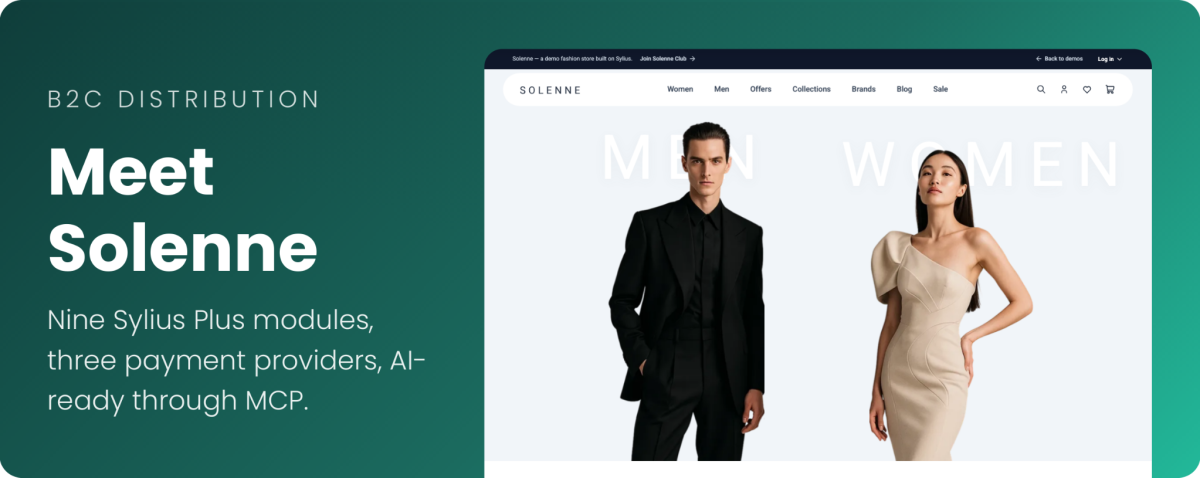
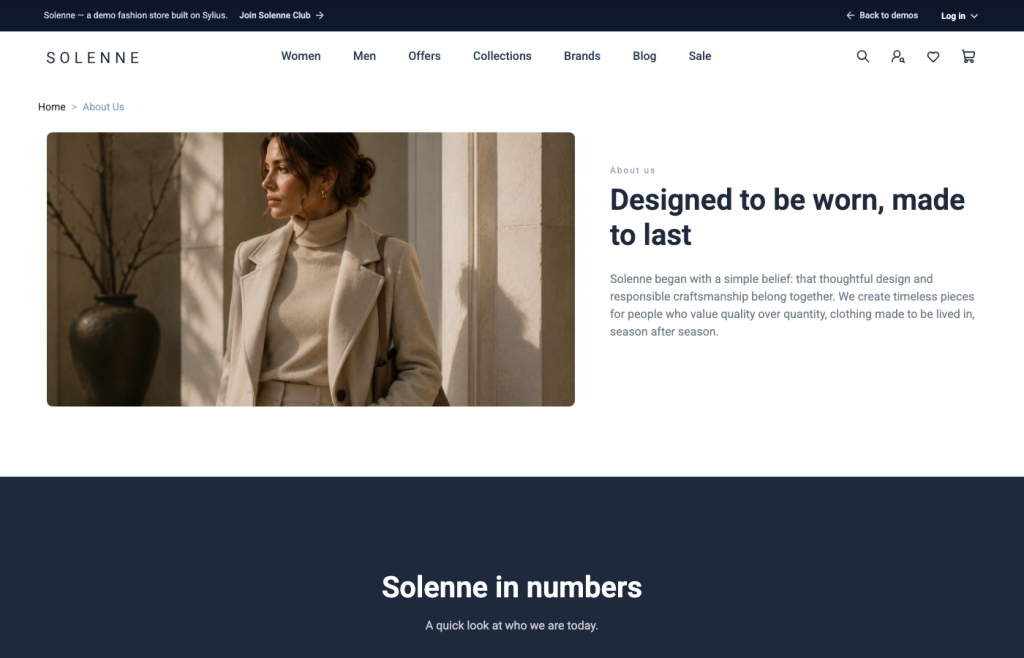
Solenne is the B2C representation of the Sylius distributions, next to Elesto for B2B and Dafré for online marketplaces. It is a complete B2C store using nine Sylius Plus modules, four payment service providers, and a set of open-source plugins on a single instance. While the demo showcases a fashion catalog, the setup can be adapted to any B2C business, from beauty and home goods to electronics and media.
The demo is also ready for AI assistants: customers can shop in Solenne, and your team can run it through ChatGPT or Claude. You can try it now at the demo’s website.
Below, we explore the technologies behind Solenne, the modules and integrations it includes, and how they benefit both customers and your team.
What is Solenne, and what is it built on?
Most B2C projects start the same way – months of work go into building checkout, loyalty, returns, payment processing, and multi-market capabilities before the team can focus on what sets the brand apart. Solenne eliminates much of that groundwork. Built on Sylius 2.2, Symfony 7.4, PHP 8.3+, and MySQL 8.4, it comes with ready-to-use modules that are already configured to work together. Loyalty points show up in checkout, returns generate credit memos, and orders ship from the warehouse that has the stock.
| Module | What it solves |
|---|---|
| One Page Checkout | Customers leave the store between checkout steps |
| Loyalty module | Customers make a single purchase and have little reason to return. |
| Subscription module | Customers have to remember to reorder products themselves. |
| Product Configurator | Customizing products requires costly, time-consuming development. |
| Returns Management | Returns are handled manually, while EU stores need a digital withdrawal option. |
| Advanced Multistore | Launching a new brand or entering a new market requires a separate platform. |
| Role-based access control | All employees have the same access, regardless of their roles and responsibilities. |
| Multi-source Inventory | Stock across multiple warehouses is not visible in the storefront. |
| Partial Shipment | A single unavailable item can delay the entire order. |
| Provider | Plugin | Key capabilities |
|---|---|---|
| Mollie | sylius/mollie-plugin | Supports a wide range of local payment methods across European markets, including iDEAL, Bancontact, BLIK and Przelewy24, as well as buy now, pay later options such as Klarna. Supports recurring payments and powers the Sylius Subscriptions module. |
| Stripe | flux-se/sylius-stripe-plugin | Supports card payments through Stripe Elements, which keeps the payment form within the checkout flow and supports 3D Secure authentication. |
| PayPal | sylius/paypal-plugin | Allows customers to pay using their PayPal accounts, offering an alternative to entering card details directly at checkout. |
| Adyen | sylius/adyen-plugin | Provides access to Adyen’s payment platform, which supports a broad range of payment methods and payment flows for businesses operating across markets. |
| Component | What it solves |
|---|---|
| Sylius MCP Server: Shop | Shoppers’ AI assistants cannot find products or buy in your store |
| Sylius MCP Server: Admin | Routine admin work means clicking through many screens |
| Sylius Ask AI Plugin | Admin work with AI happens outside the panel, and its changes go in without review |
| CMS Plugin | Updating landing pages and footer content requires developer involvement. |
| Wishlist Plugin | Shoppers who are not ready to buy have no easy way to save products for later. |
| Refund Plugin | Refunds are processed manually and are not tracked alongside order history. |
| BitBag Elasticsearch Plugin | Shoppers struggle to find the right products in large catalogs. |
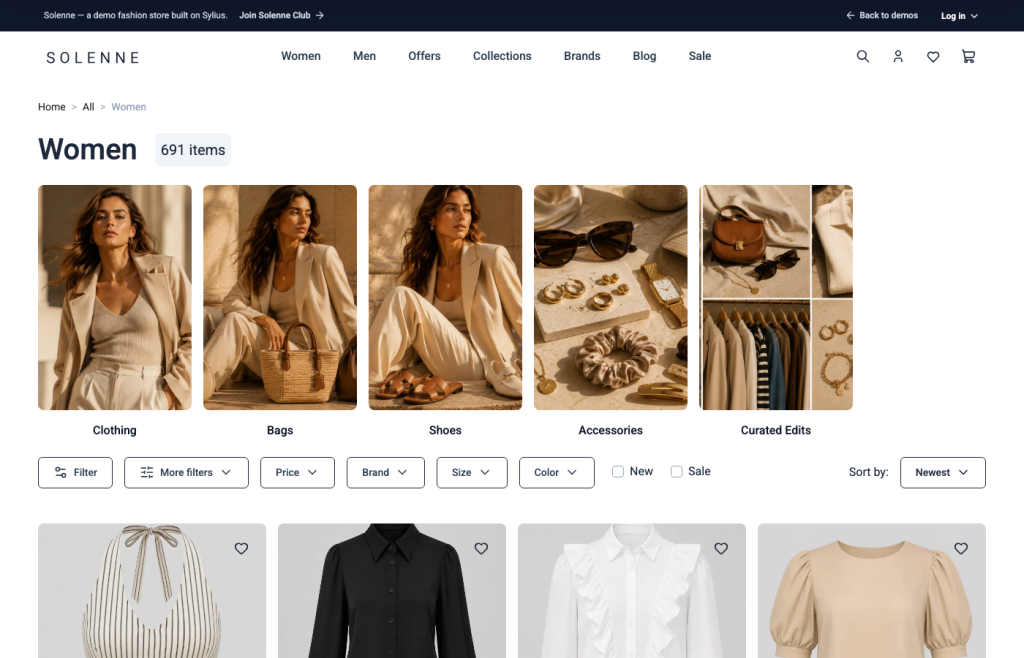
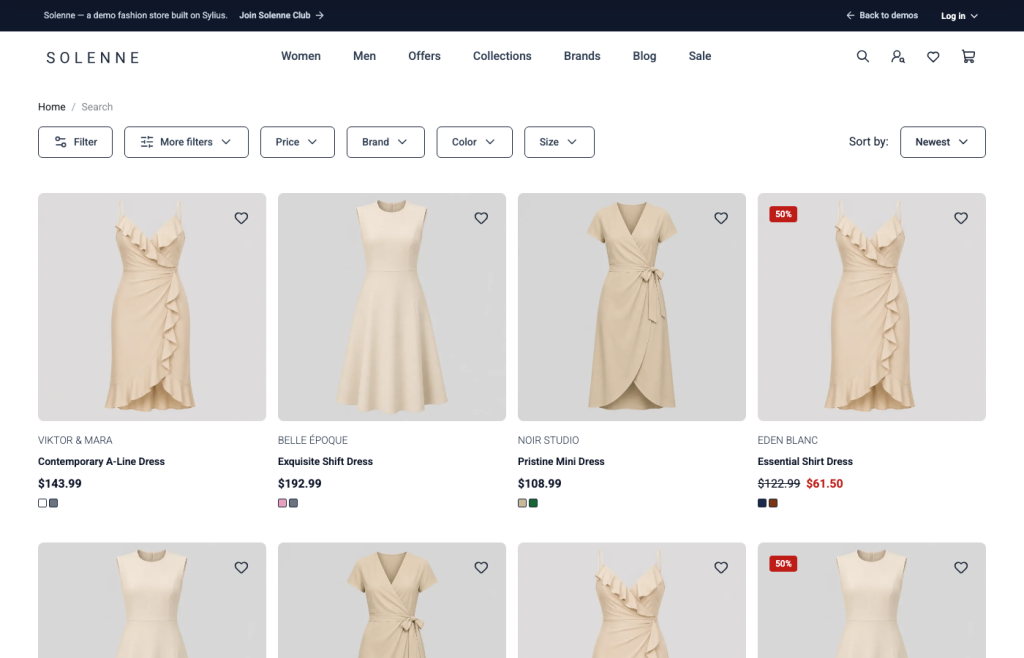
Customers leave when they cannot find a product or cannot tell whether it is right for them. In Solenne, search runs on Elasticsearch, updates as you type, and filters listings by price, brand, size, and color. The homepage and navigation are managed from the admin, so marketing can change them without waiting for a deployment.
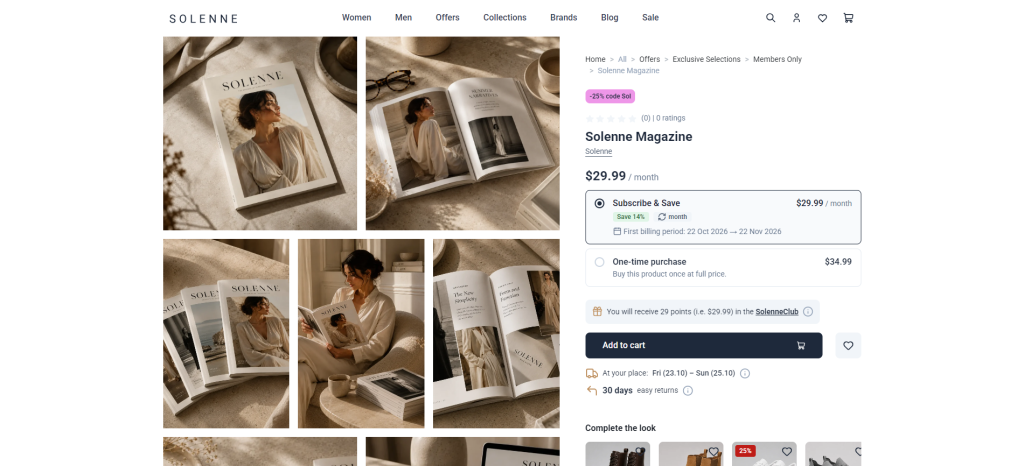
The product page removes doubts before the cart: it shows the loyalty points the item will earn, an estimated delivery range, the 30-day returns window, a wishlist heart for shoppers who are not ready yet, and a “Complete the look” row for cross-selling.
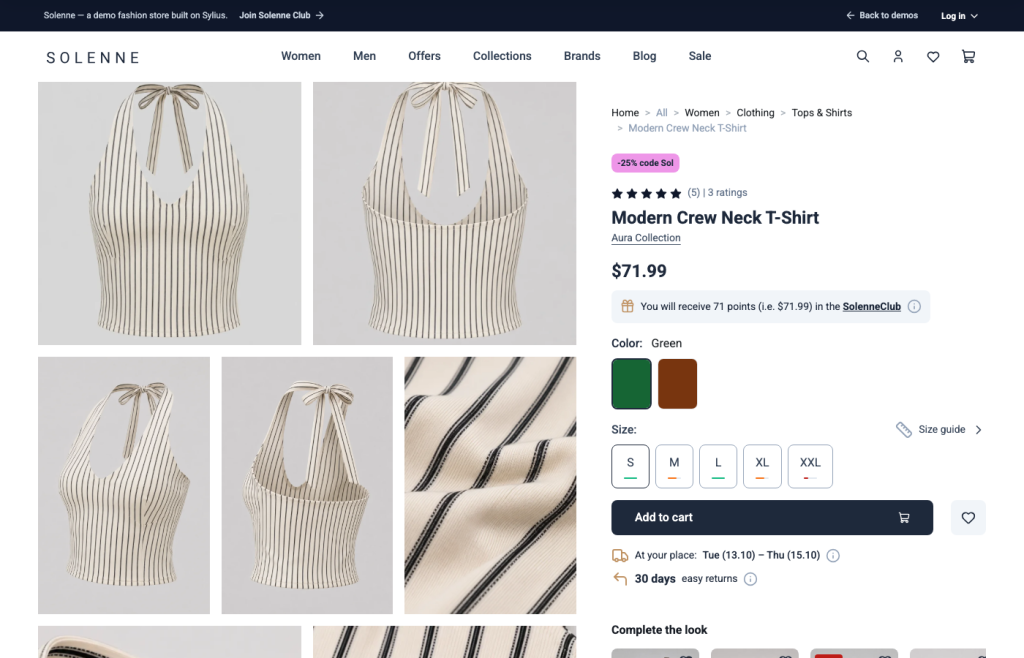
The product page removes doubts before the cart: it shows the loyalty points the item will earn, an estimated delivery range, the 30-day returns window, a wishlist heart for shoppers who are not ready yet, and a “Complete the look” row for cross-selling.
Checkout is one of the most critical stages of the shopping journey. Too many steps or unexpected shipping costs can cause customers to abandon their carts before completing a purchase. Solenne’s One-Page Checkout brings address, shipping, and payment details together on a single screen, with each section becoming available as the previous one is completed. Shipping rates update automatically when the delivery address changes, so customers can see the final cost before placing their order. Guests and registered customers follow the same checkout flow, while the order summary remains visible alongside a coupon field and the loyalty points the purchase will earn.
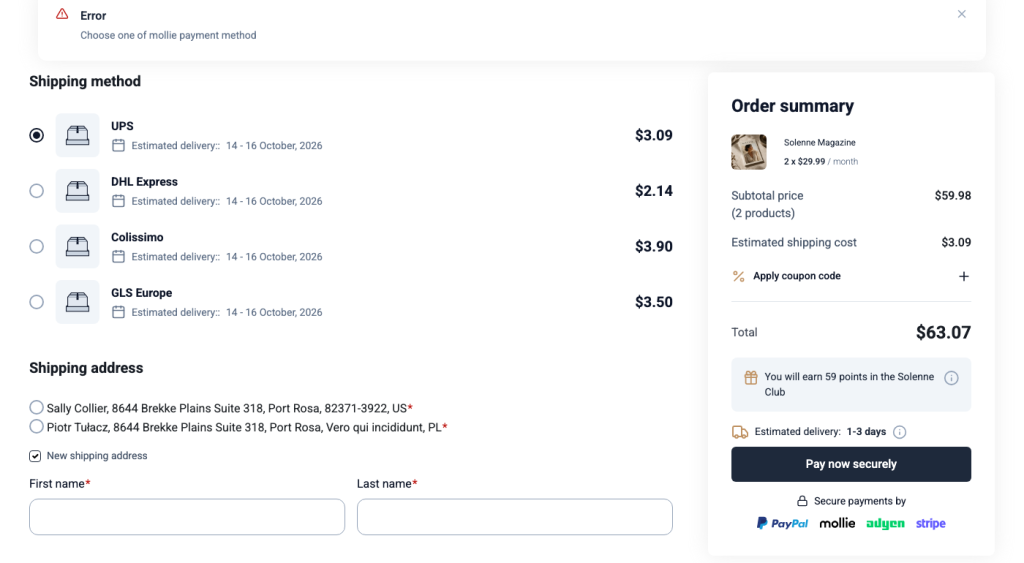
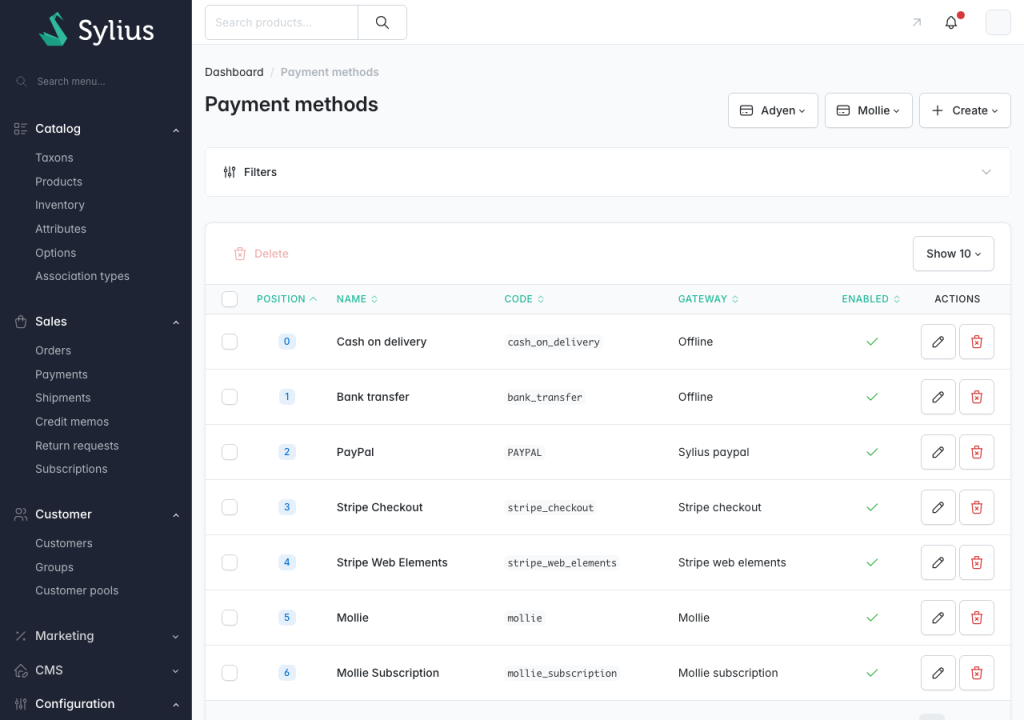
Payment options matter just as much. Customers may hesitate when redirected to an unfamiliar page or when they cannot find a payment method they recognize. Solenne addresses this with payment options tailored to different markets and checkout scenarios.
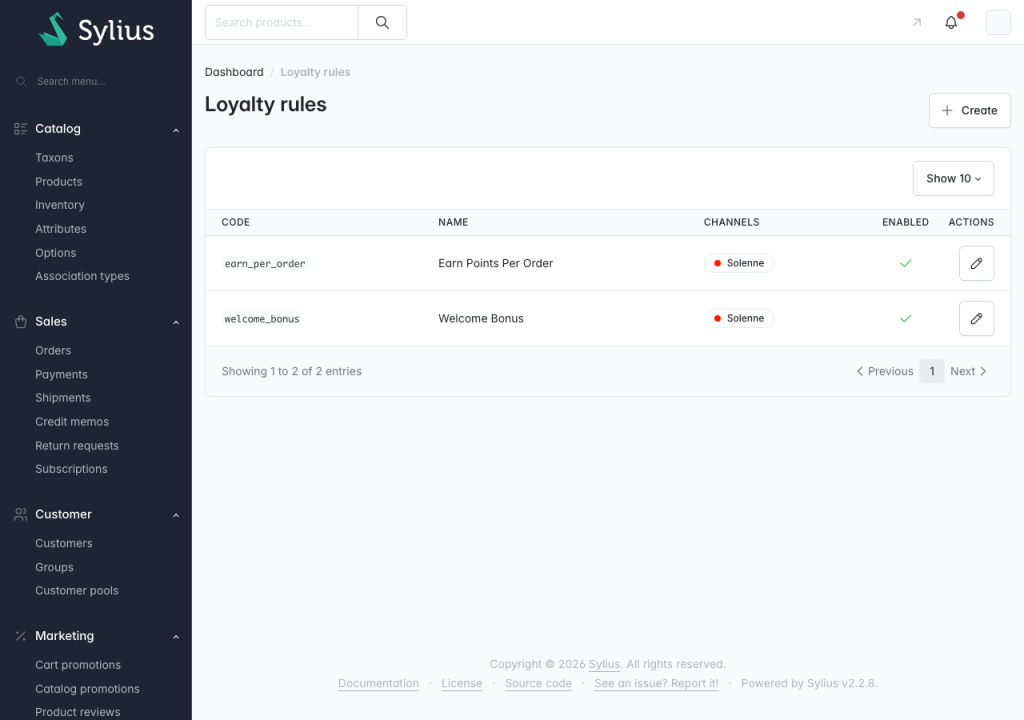
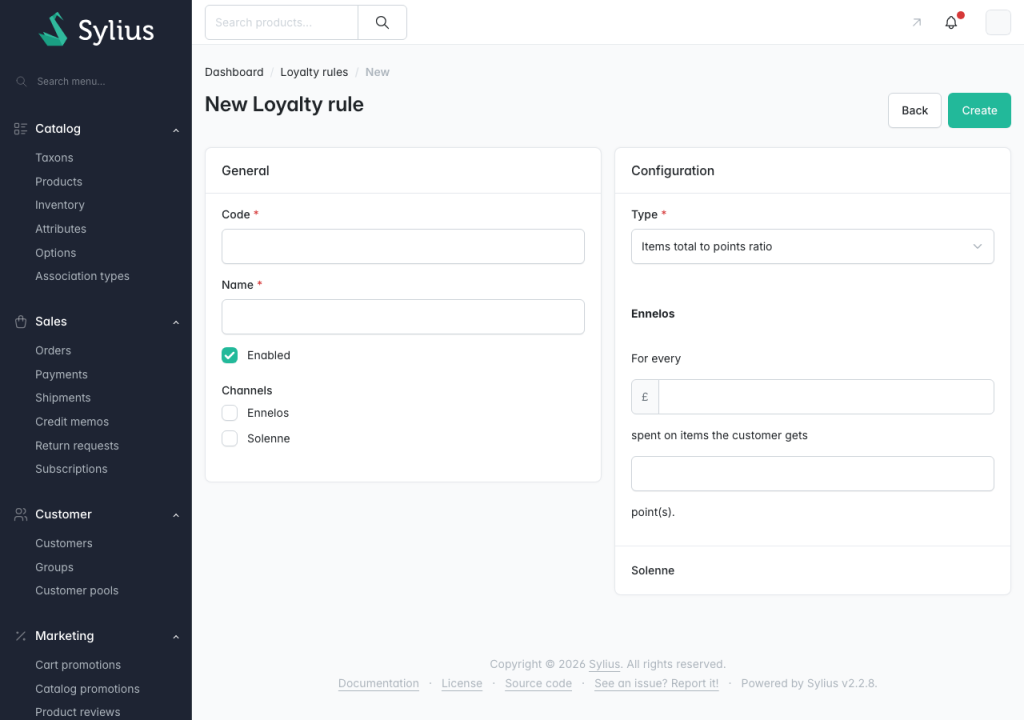
Many stores give first-time buyers little reason to return, and loyalty programs buried in the account area are easy to forget. The Loyalty module keeps rewards visible throughout the shopping journey: on product pages, in the cart, and in the checkout summary, customers can see how many points their purchase will earn.
Marketing teams can manage the program’s rules from the admin panel, including the base earn rate per currency unit, multipliers for selected categories, products, or channels (for example, offering double points on a slow-moving product category), optional point expiry, and channel-specific settings.
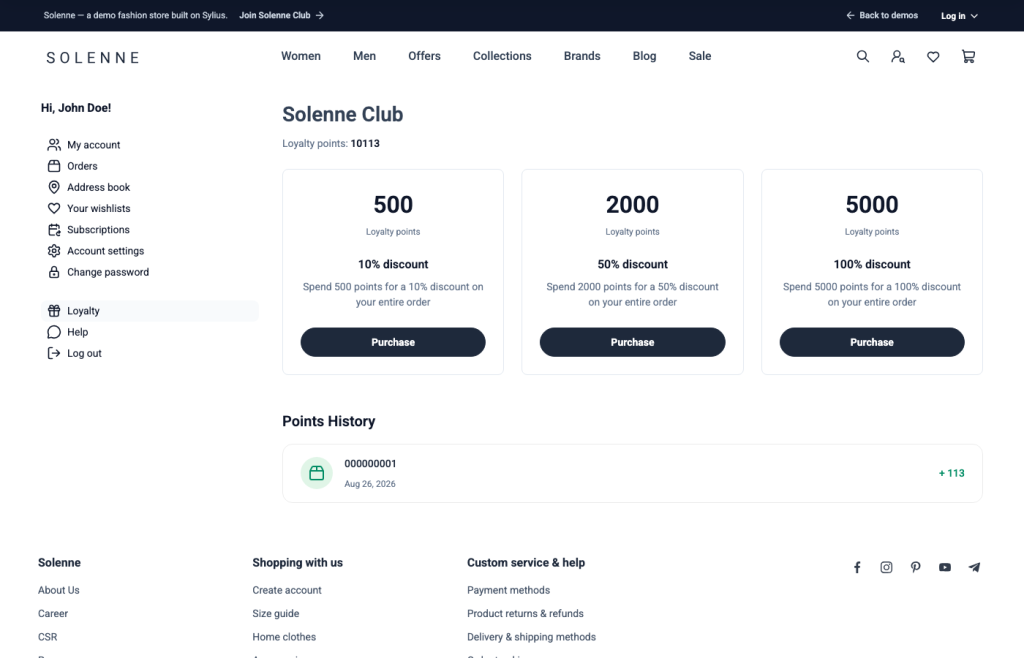
Customers exchange points for rewards in their account: 500 points for 10% off, 2,000 for 50%, and 5,000 for 100%. The reward becomes a coupon code that applies at checkout, which brings them back for the next order.
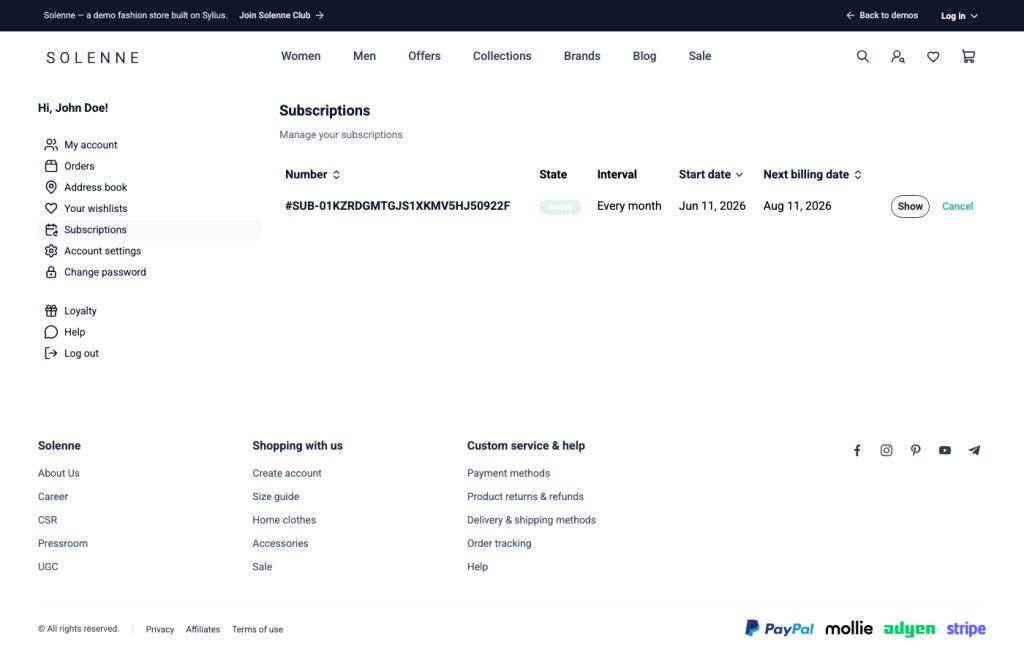
Products people buy regularly, such as cosmetics, coffee, or magazines, depend on the customer remembering to reorder, and selling them on subscription often means running a separate billing tool. The Subscription module sells any product on a recurring schedule inside the same store, next to one-time purchases. In Solenne, this functionality takes the form of Solenne Magazine, a monthly subscription.
At checkout, customers make their first payment using iDEAL, a card, or SEPA Direct Debit. This also establishes a Mollie mandate for future charges, allowing subsequent orders and payments to be processed automatically.
Customers can view their subscription interval and next billing date in their account and cancel at any time without contacting support.
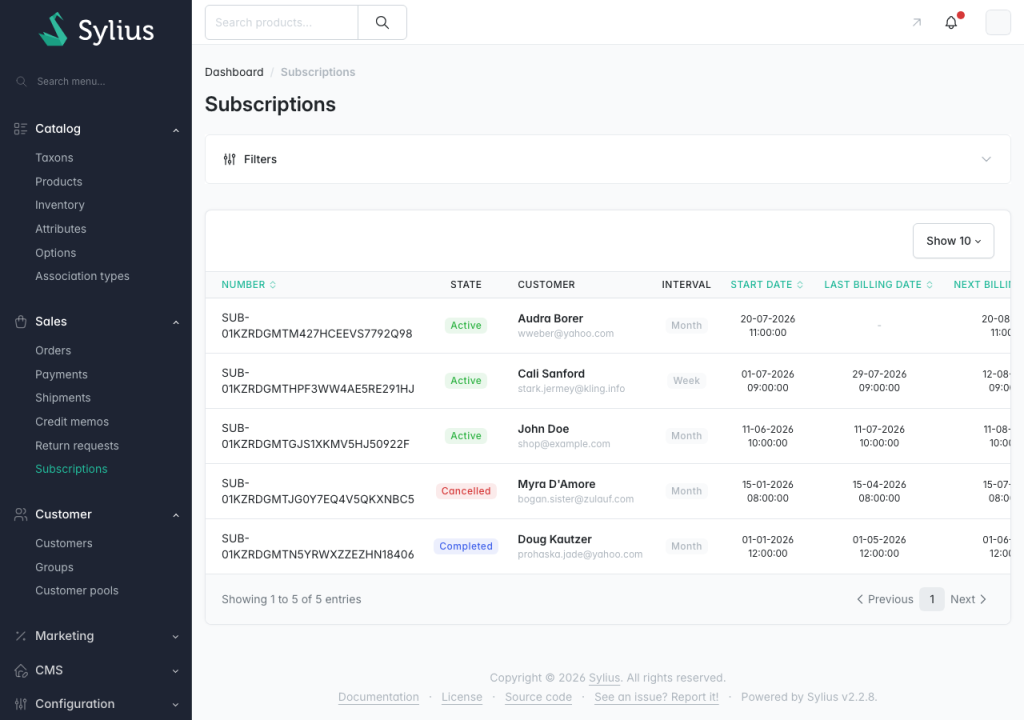
In the admin panel, staff can view all subscriptions, filter them by channel, status, or customer, review billing history, and cancel subscriptions on a customer’s behalf.
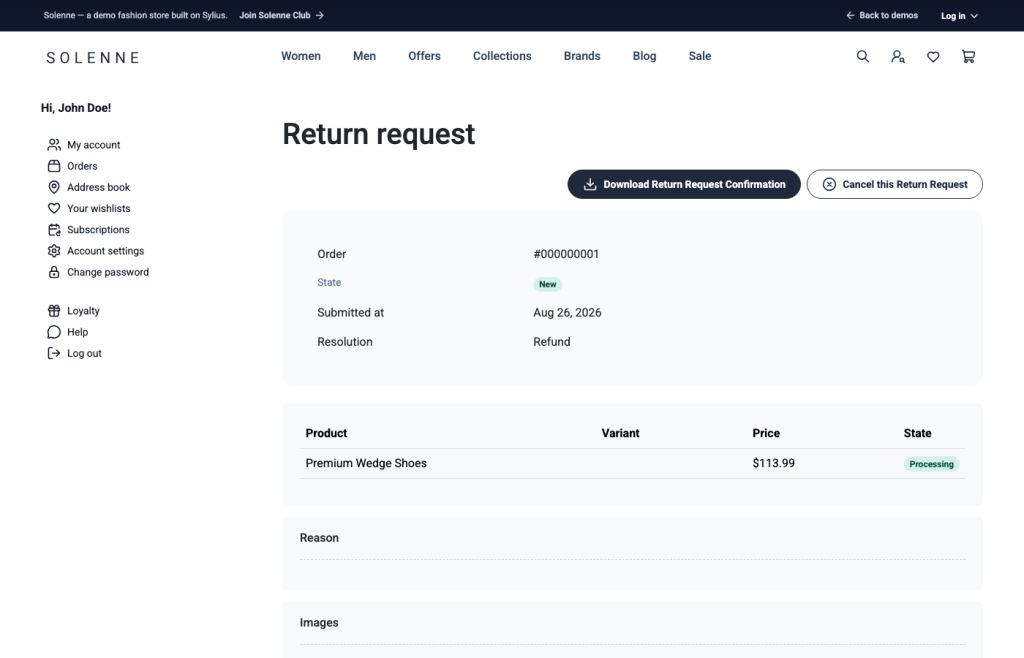
Returns are an inevitable part of B2C commerce, but handling them over email can leave customers wondering when they will get their money back and force staff to manage each case manually. With Returns Management, customers can submit return requests directly from their order history. They select the items they want to return, provide a reason, attach photos if needed, and submit the request. They can then track its status, download a PDF confirmation, or cancel the request themselves.
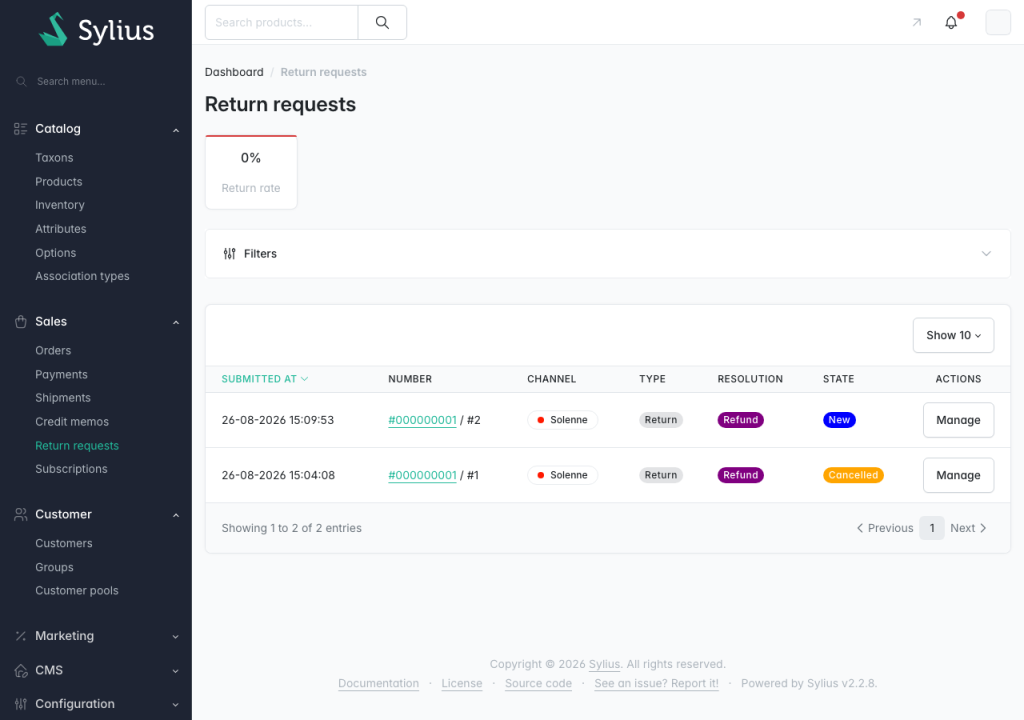
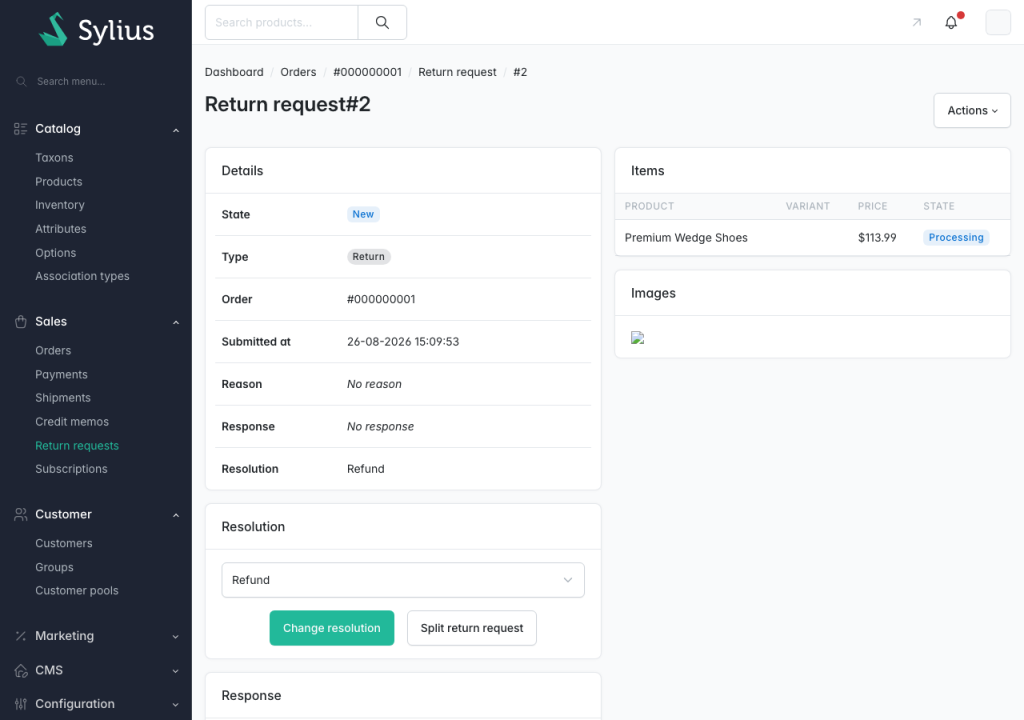
The admin panel gives staff control over the entire return process:
Since June 2026, Directive (EU) 2023/2673 requires online stores selling to EU consumers to offer a digital way to withdraw from a contract, often called the withdrawal button. For many stores, that means building a new flow under legal pressure. In Solenne, it is already there: Contract Withdrawal is part of Returns Management and runs separately from standard returns.
Learn more in our article on how Sylius Plus supports the new EU contract withdrawal requirements.
Expanding abroad or launching a second brand often ends with a second platform to maintain, a second catalog to synchronize, and a second team to manage. Sylius avoids that because it is multichannel at its core. A channel is a complete storefront with its own domain, currencies, languages, tax zone, payment and shipping methods, and theme. Adding a market means adding a channel, not a new platform: products, promotions and content are shared and switched on per channel.
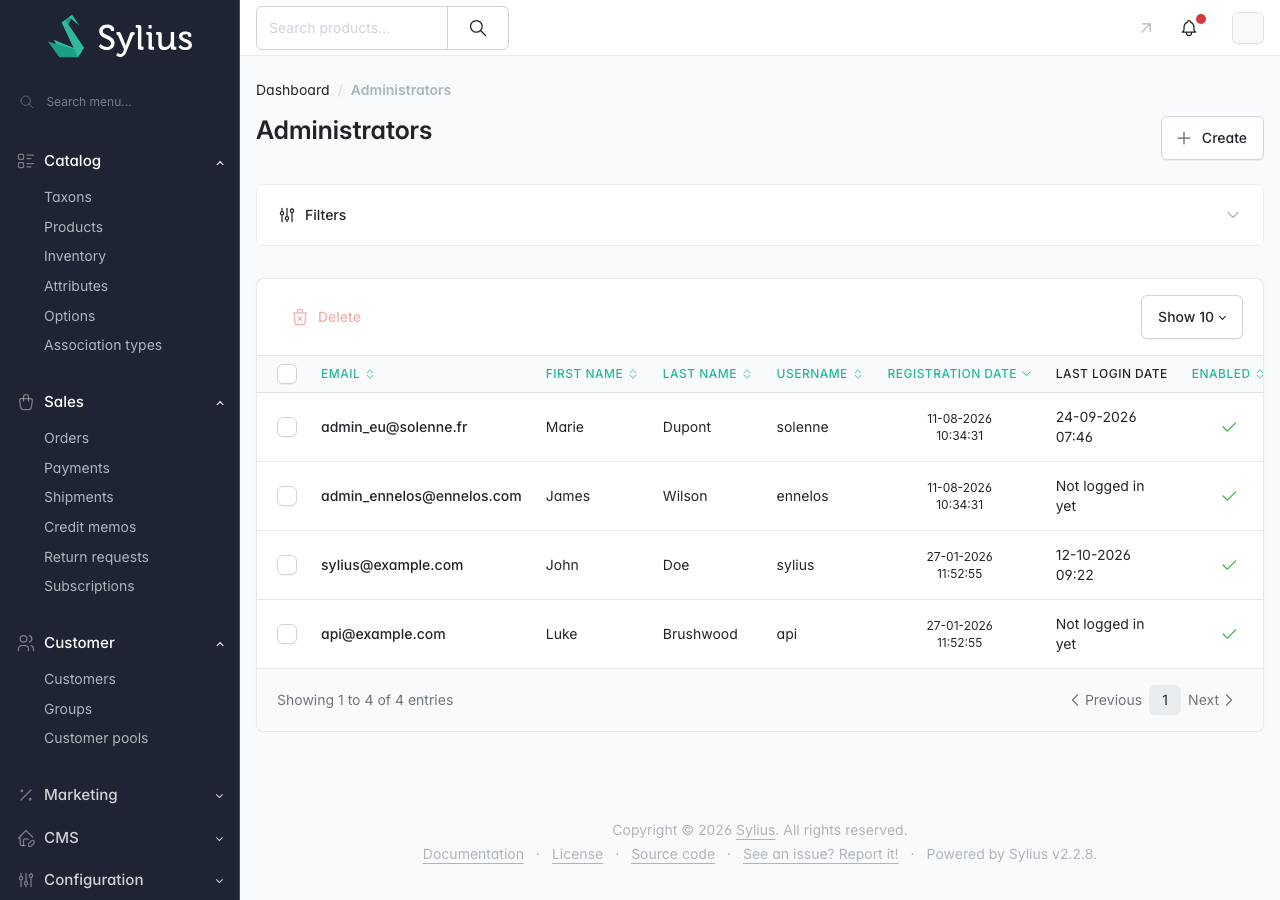
Solenne shows this with two storefronts on one installation. Solenne is the main store, run by Solenne Europe SAS. Ennelos is a second brand for the UK market, with its own look, its own company behind the invoices, and its own customers.
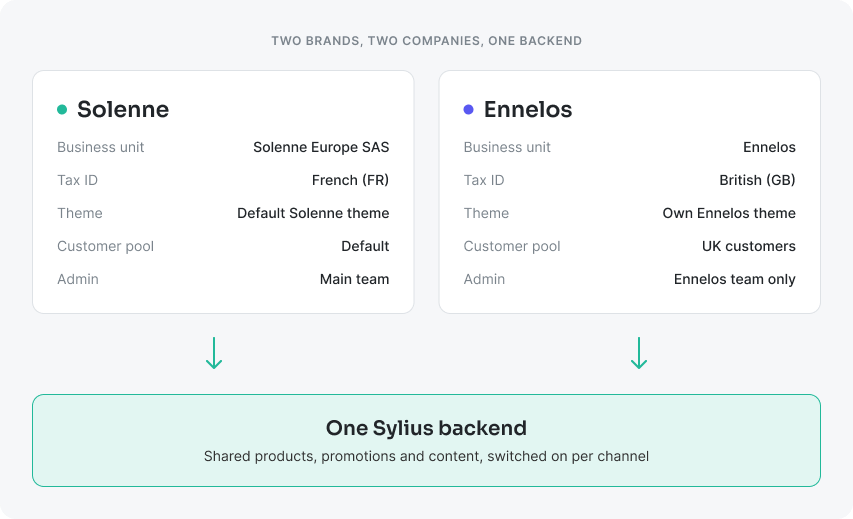
The Plus modules handle what changes when the second store is a separate business, not just a translation:
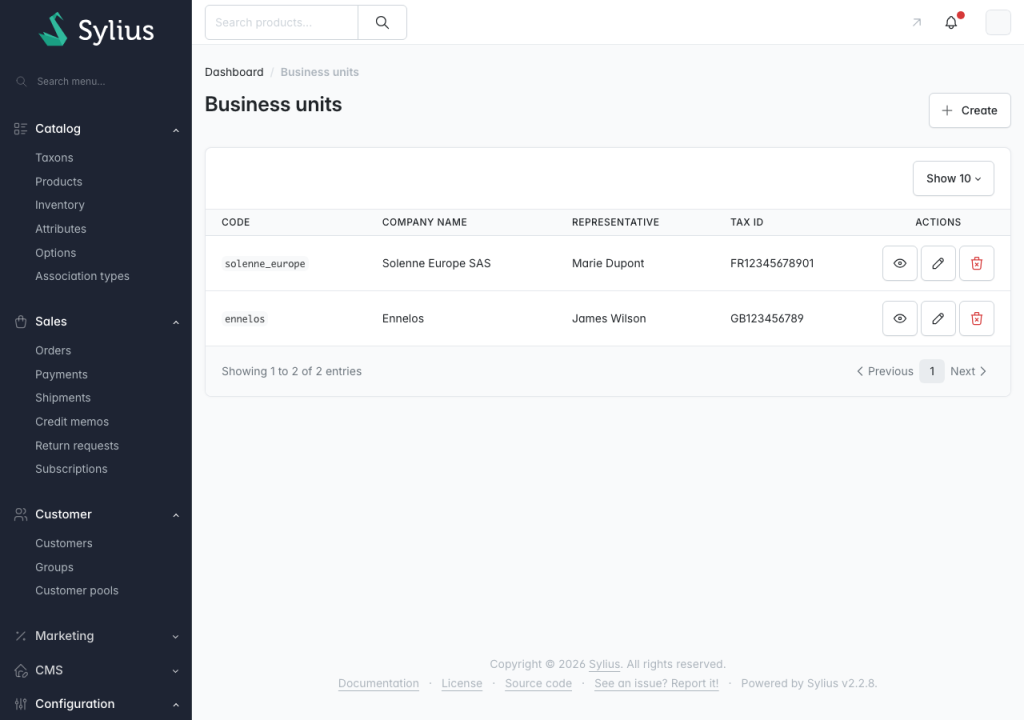
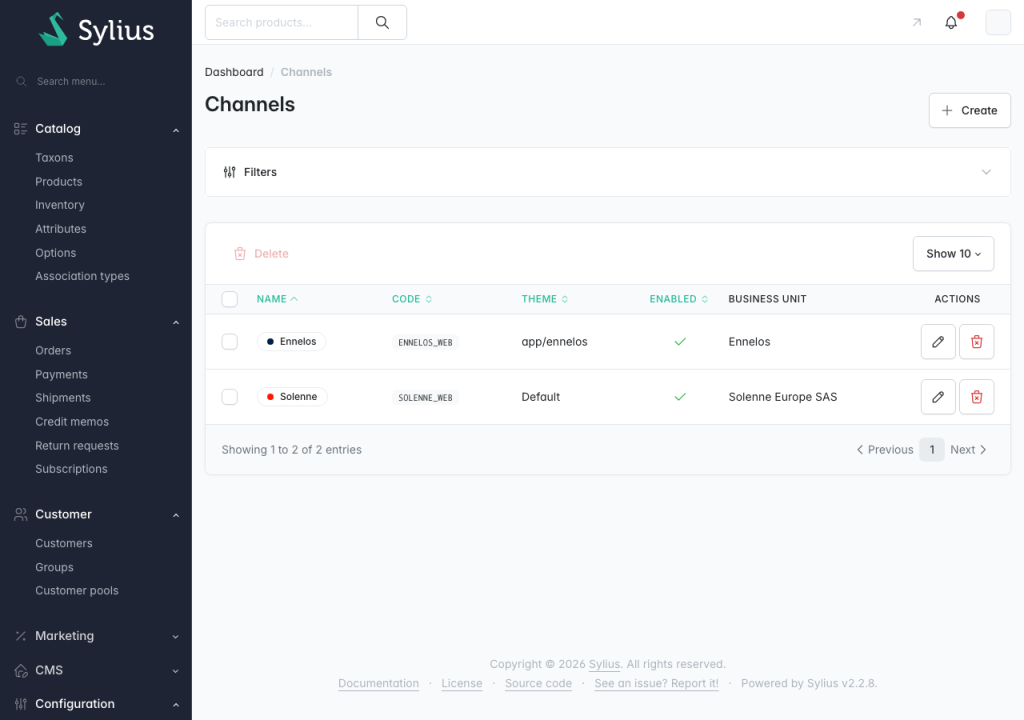
Each new market follows the same steps: a channel, a business unit if a new company is behind it, and admins limited to that market.
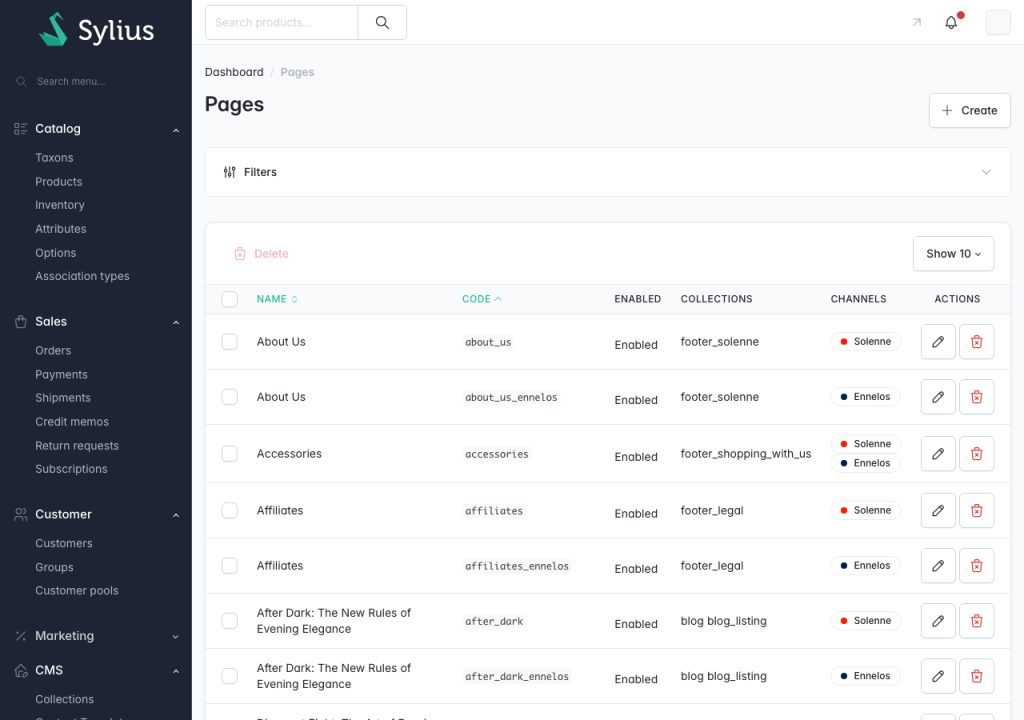
Campaign landing pages, size guides, and footer links often get stuck in the development backlog, sometimes until a campaign is already underway. The CMS Plugin lets marketing teams create and publish content without developer involvement. Pages are built from reusable elements, including text, media, card grids, tabs, and size charts, using a WYSIWYG editor. They can have SEO-friendly URLs and be made available only on selected channels, making it easier to manage content across multiple markets.
Collections organize pages into menus. In Solenne, the footer is built from three collections, so adding a page to the relevant collection automatically adds it to the footer. Blocks provide another layer of reuse, allowing teams to manage content snippets that can appear in multiple places, including on the homepage.
| If you… | Solenne helps with |
|---|---|
| Run a D2C or retail brand | Personalized products, loyalty and wishlists that raise order value and repeat purchases |
| Sell products people reorder | Subscriptions with automatic billing and customer self-service |
| Plan to expand into new markets | New channels, companies and local teams on the same backend |
| Run several brands | Separate storefronts, customers and admins without a second platform |
| Ship from several warehouses | Stock per warehouse and partial shipments |
| Want marketing to move faster | Pages, content and loyalty rules managed without developers |
| Want to sell where shoppers ask AI | Orders and store management through ChatGPT and Claude over MCP |
Nowadays, shoppers ask AI assistants for product recommendations instead of relying only on search engines. If an assistant can’t access your store, your products may never show up. Solenne comes with two Sylius MCP servers: the Shop server lets assistants such as ChatGPT and Claude help customers place orders, and the Admin server lets your team manage the store through them.
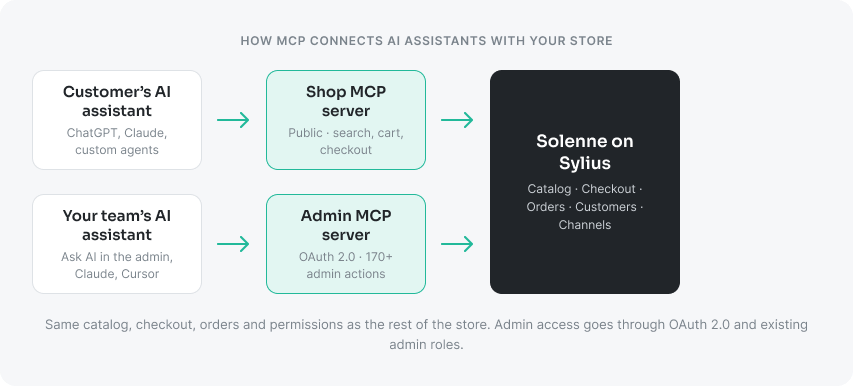
With the Shop MCP server, a customer’s assistant searches the catalog, compares variants and prices, fills the cart, and completes checkout in Solenne. It works with ChatGPT, Claude, and custom agents that connect over MCP, with no vendor-specific integration to build for each one. You decide how much is exposed, from product search only up to the full checkout.
The Admin MCP server gives an assistant more than 170 ready actions across products, orders, customers, promotions, shipping, taxes, and channels. Your team asks “create a 10% coupon for VIP customers” or “which products are running low?” and gets the work done without clicking through the panel.
Your team does not even need an external assistant. Ask AI adds a chat panel to every page of the Solenne admin. It works through the same Admin MCP tools, as the administrator who is logged in, so it sees and does only what that person is allowed to.
Questions get answered right away: ask for last week’s unpaid orders or the products running low, or ask it to open the right page. Changes work differently. When the assistant wants to create a promotion or update a product, it proposes the action and waits: nothing is saved until an administrator clicks Approve.
Every conversation and every proposed action is logged in the admin, together with who approved it and when. The panel runs on Claude by default and can use OpenAI, Gemini or a self-hosted model through Symfony AI.
our team does not even need an external assistant. Ask AI adds a chat panel to every page of the Solenne admin. It works through the same Admin MCP tools, as the administrator who is logged in, so it sees and does only what that person is allowed to.
The MCP servers are not a separate product bolted onto the side. They use the same catalog, checkout, orders, and permissions as the rest of the store, so the core of the store is reachable from an assistant:
| Area | Through the Shop MCP (customers) | Through the Admin MCP (your team) |
|---|---|---|
| Catalog | Search products, compare variants and prices | Create and update products |
| Cart and checkout | Fill the cart and complete checkout | Review and manage the resulting orders |
| Orders and shipping | Place the order | “Show last week’s unshipped orders and prepare the shipments” |
| Promotions and loyalty | – | “Create a 10% coupon for VIP customers” |
| Customers | – | Look up and manage customer accounts |
| Channels and markets | Shop in the channel the store exposes | Manage channels, shipping and taxes, limited to the admin’s own channels |
The MCP servers are not a separate product bolted onto the side. They use the same catalog, checkout, orders, and permissions Each server has its own level of access. The Shop MCP server is public, like the storefront: a shopper’s assistant can do only what any visitor can do in the store, and you decide how much is exposed, from product search only up to the full checkout. The Admin MCP server follows the same rules as the admin itself: OAuth 2.0 with PKCE, existing admin roles and permissions, expiring tokens, and action groups you can switch off. An assistant can never do more than the administrator using it. Claude Desktop, claude.ai, Claude Code and Cursor connect to it with a single URL.
Everything is built on open standards, MCP and the official Symfony AI components, so you can choose the model vendor (Anthropic, OpenAI, Google or a self-hosted model) and switch later without rewriting anything.
The MCP servers are not a separate product bolted onto the side. They use the same catalog, checkout, orders, and permissions Each server has its own level of access. The Shop MCP server is public, like the storefront: a shopper’s assistant can do only what any visitor can do in the store, and you decide how much is exposed, from product search only up to the full checkout. The Admin MCP server follows the same rules as the admin itself: OAuth 2.0 with PKCE, existing admin roles and permissions, expiring tokens, and action groups you can switch off. An assistant can never do more than the administrator using it. Claude Desktop, claude.ai, Claude Code and Cursor connect to it with a single URL.
Open solenne.sylius.com and log in to the shop as [email protected] / sylius, or to the admin at /admin/login as sylius / sylius. In ten minutes you can:




 Sylius Plus


