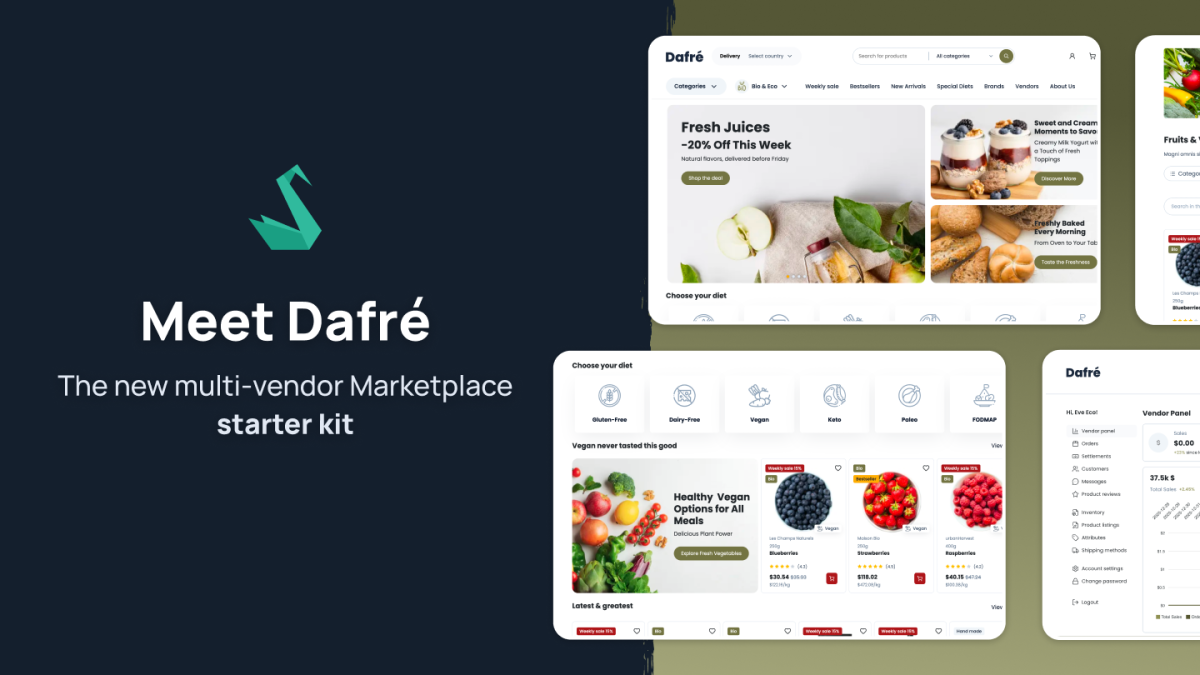
Marketplaces differ from classic eCommerce stores not by the number of products, but by the complexity of their processes. This article shows how these processes are handled in Dafré – from the user’s first interaction with the platform, through the cart and checkout, to vendor and admin panels.
Dafré is a ready-to-use marketplace foundation built on the Sylius Plus module – Marketplace Suite. The module forms the core of the multi-vendor logic and provides the mechanisms required to manage vendors, offers, orders, commissions, and settlements in a marketplace model.
On top of this foundation, Dafré is extended with a set of integrations and plugins that together form a complete, fully functional marketplace – ready to support a full end-to-end purchasing flow for the end user.
Dafré includes, among others:
All of this is complemented by:
The entire setup was prepared by our internal team, based on real marketplace implementations and project experience. This translates into thousands of hours spent on architecture, integrations, and refining the key marketplace scenarios.
Now let’s move on to Dafré features, what this masterpiece has there!
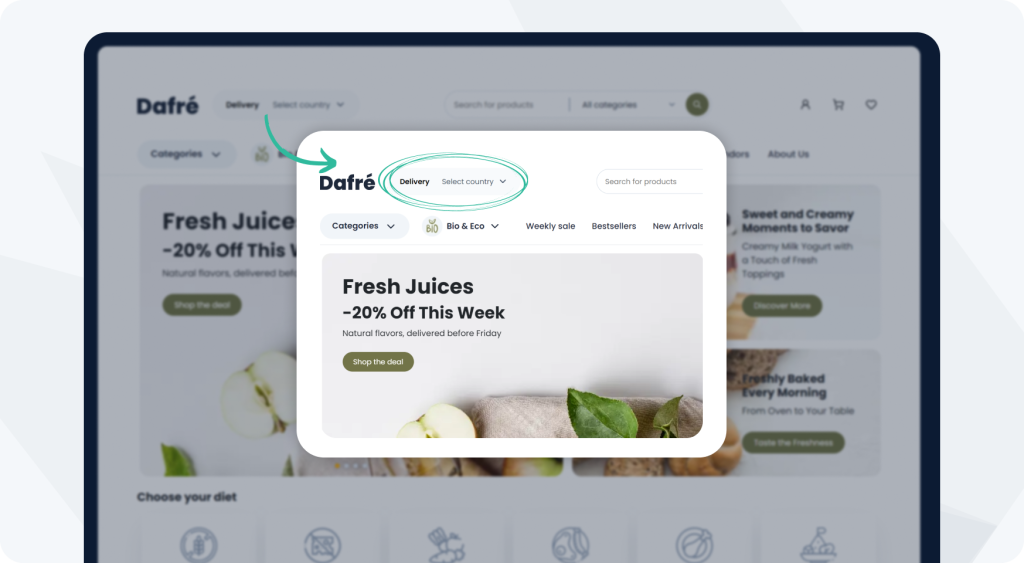
The first element users interact with on the Dafré homepage is the delivery location selector. Before browsing the offer, users choose the country or region where their orders should be delivered.
The selected location directly affects which products are displayed. Dafré only shows offers from vendors that ship to the chosen region. As a result, users see purchasable products from the very beginning, without having to filter out unavailable offers later in the process.
This mechanism is especially important in a marketplace model, where:
Placing the location selector on the homepage avoids situations where users discover at the cart or checkout stage that a product cannot be delivered to their country. It simplifies navigation and organizes the marketplace offer from the very first interaction.
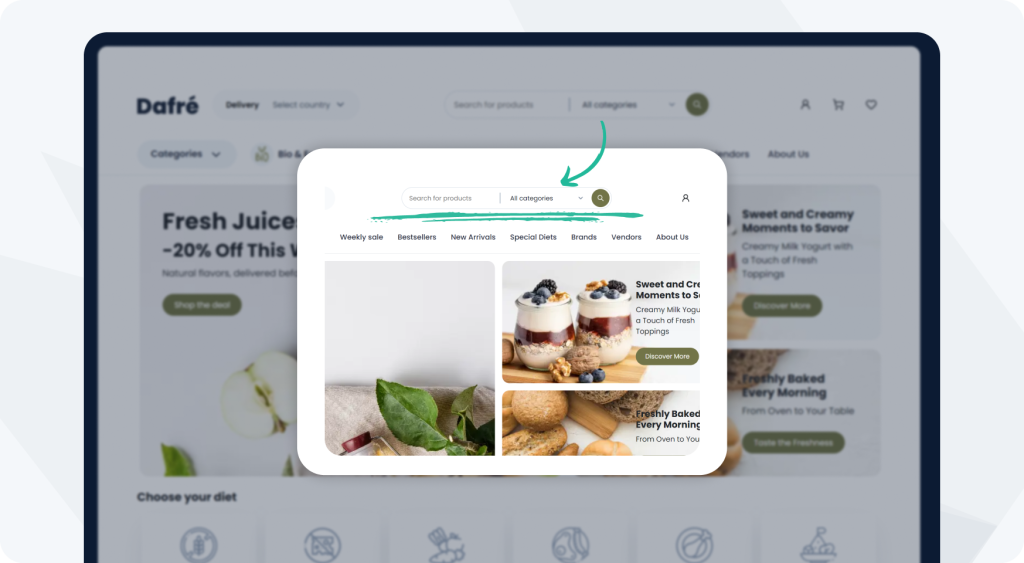
On the right side of the location selector is an advanced search engine powered by the Elasticsearch Plugin.
In addition to standard product name search, users can immediately narrow results down to a specific category, making it easier to reach the desired offer.
At the current scale of the platform, around 15,000 products, Elasticsearch significantly improves search speed and usability. Queries are executed almost instantly, and results appear immediately, directly impacting the overall user experience.
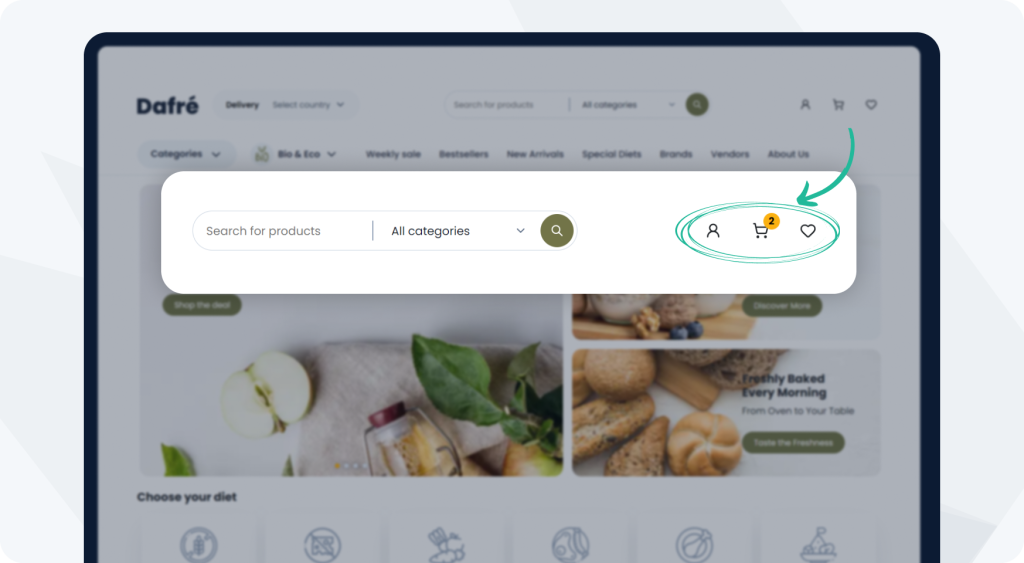
Next to the search bar are the login, cart, and wishlist icons.
The wishlist is implemented using the Wishlist Plugin and fully integrated with the rest of the platform, allowing users to save products and return to them later in the purchasing process.
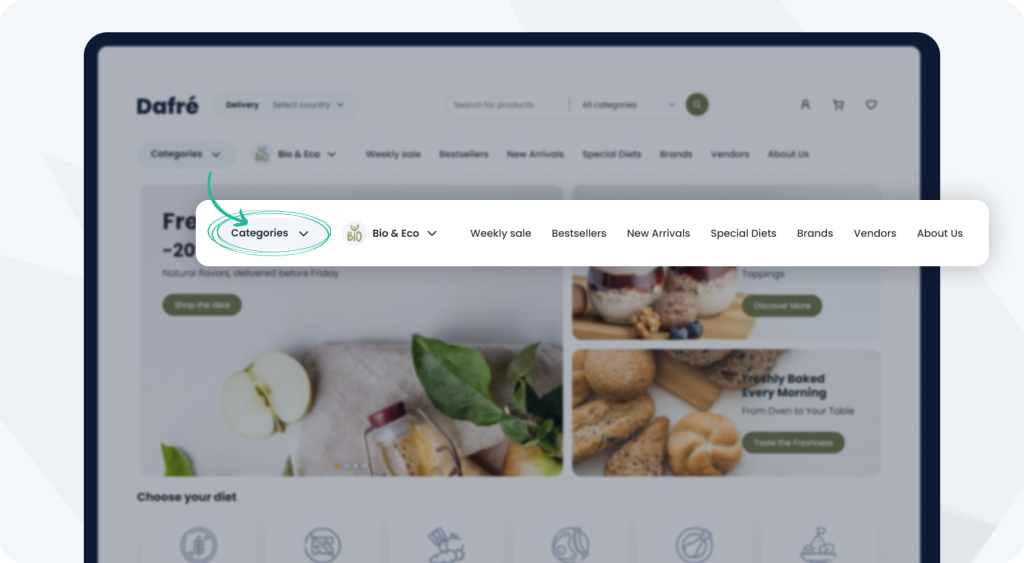
Below that, the homepage is divided into sections designed for quick navigation. Users can browse products by category, brand, and vendor.
Vendor filtering plays a particularly important role here – users can select their favorite seller and view only their offers.
An additional category bar, also powered by Elasticsearch, allows users to quickly narrow results to specific segments.
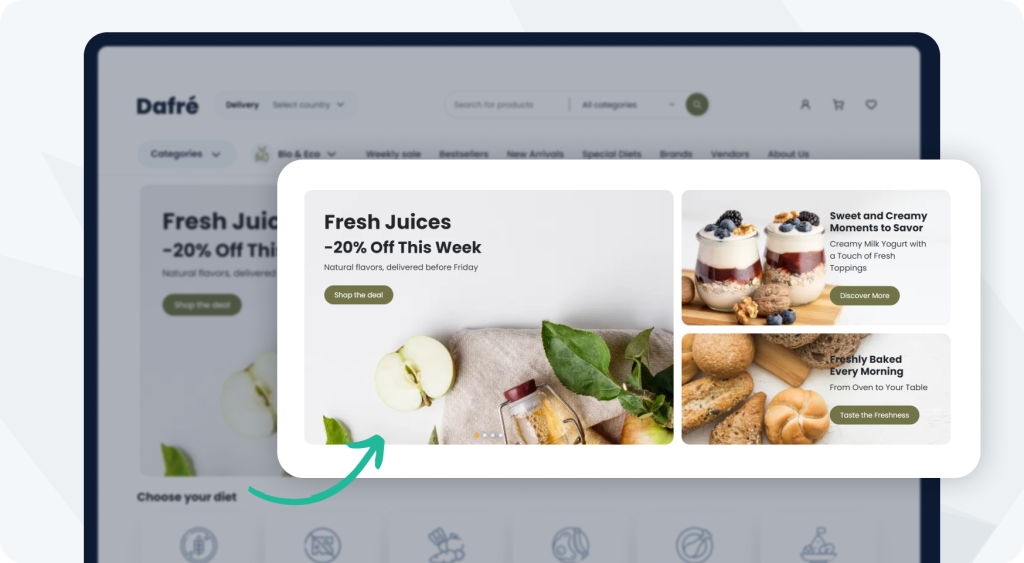
Visual banners and promotional sections follow, built around large images, slogans, and links leading to dedicated subpages.
All of this is managed through the CMS Plugin, allowing administrators to easily edit content, replace graphics, and adapt the homepage to seasons, marketing campaigns, or current business needs – without touching the application code.
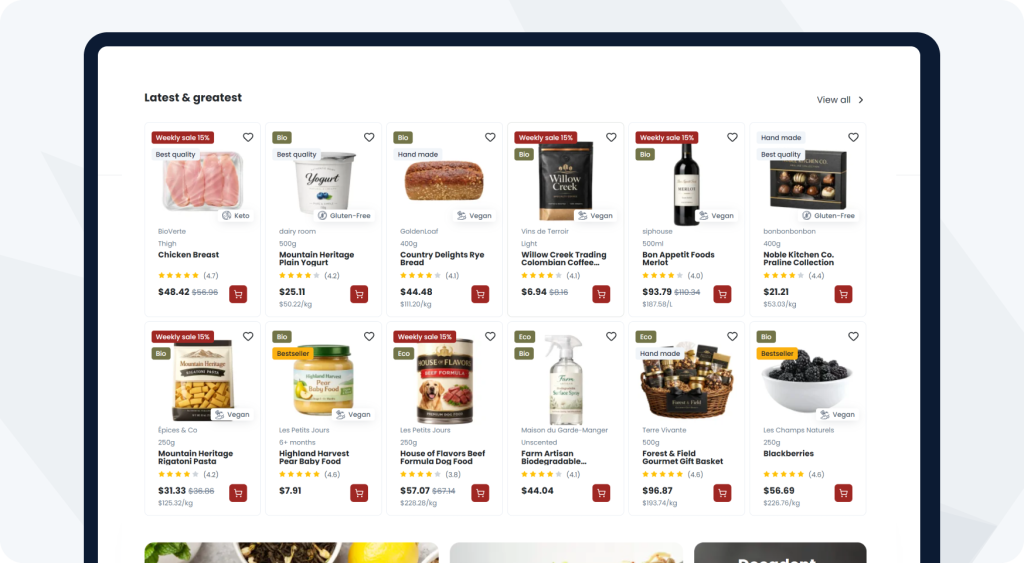
Further down the homepage, customized product tiles are displayed. Already at the listing level, key attributes such as best quality, handmade, or bio/eco are visible. These attributes are based on product attributes and help users quickly evaluate an offer without opening the product page.
From the product tile, users can:
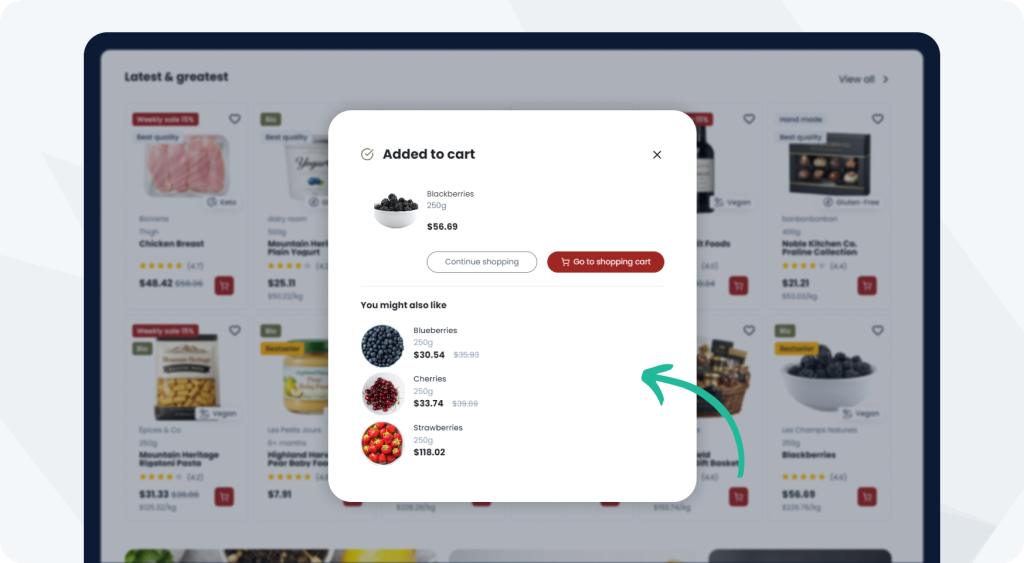
The final homepage interaction appears after adding a product to the cart. Users can either continue shopping or go to the cart, while the same view displays a “You might also like” section with suggested products.
This section supports cross-selling scenarios, encouraging users to add more products before checkout and increasing cart value without interrupting the shopping flow.
Already at the cart level, it’s clear that the platform was designed as a marketplace. The cart layout and product presentation reflect the handling of multiple vendors within a single purchasing process.
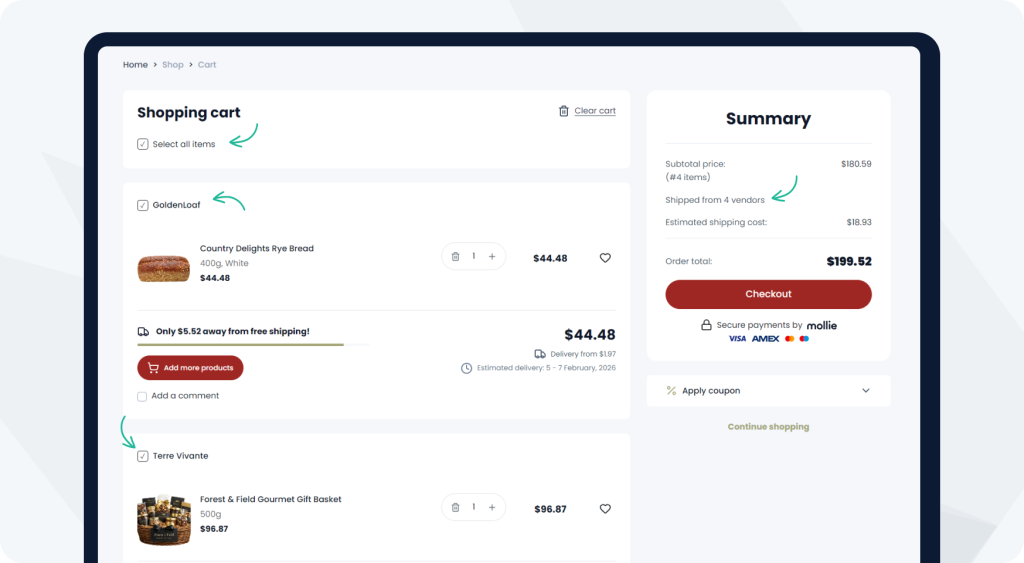
Products in the cart are grouped by vendor. A single cart can contain products from multiple sellers, with each vendor clearly separated.
Users can select or deselect products from a specific vendor, deciding which seller they want to purchase from at a given moment. Products from other vendors remain in the cart and are not removed.
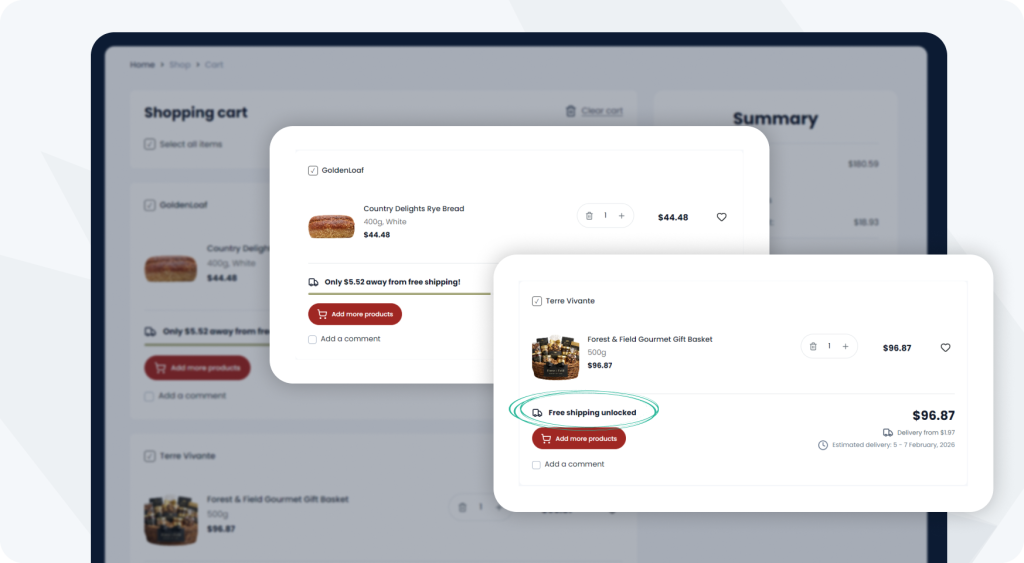
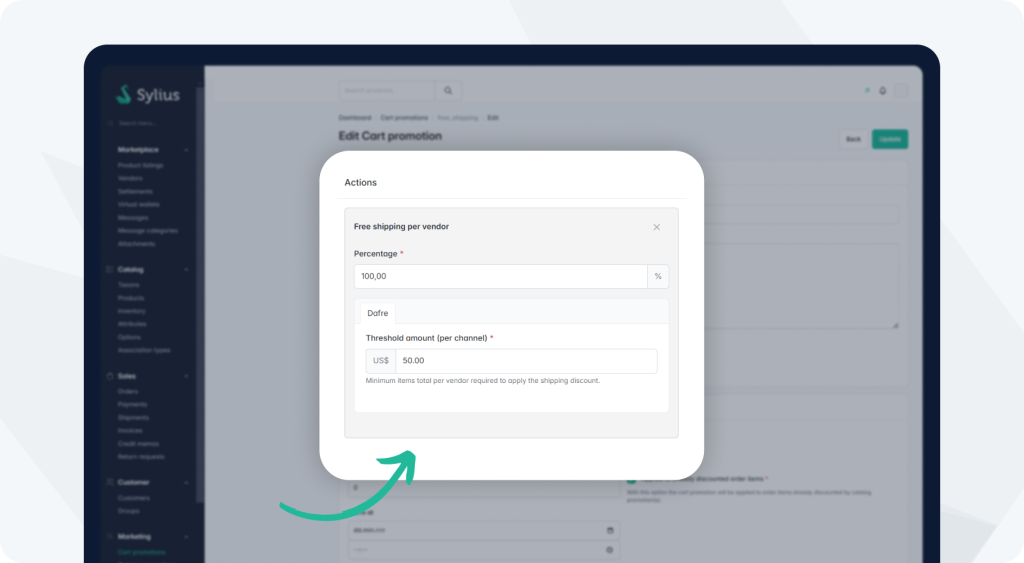
Within the vendor-grouped cart, a free shipping promotion is displayed separately for each seller. In this case, the free shipping threshold is set at $50.
This functionality is implemented using a custom promotion action, where the administrator can define a minimum order value per vendor above which shipping becomes free.
As a result, users can clearly see:
This presentation actively encourages increasing the order value for a specific vendor.
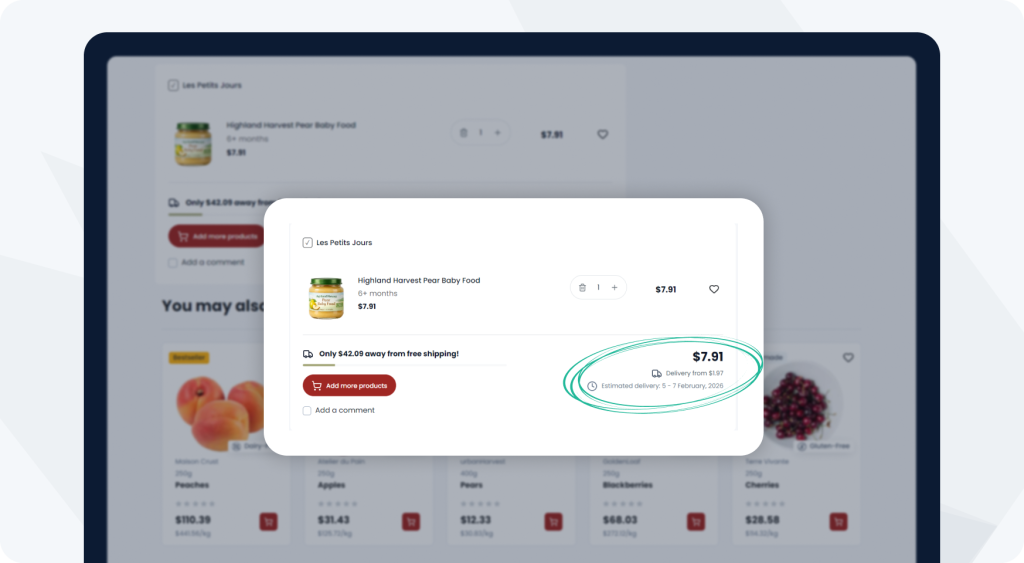
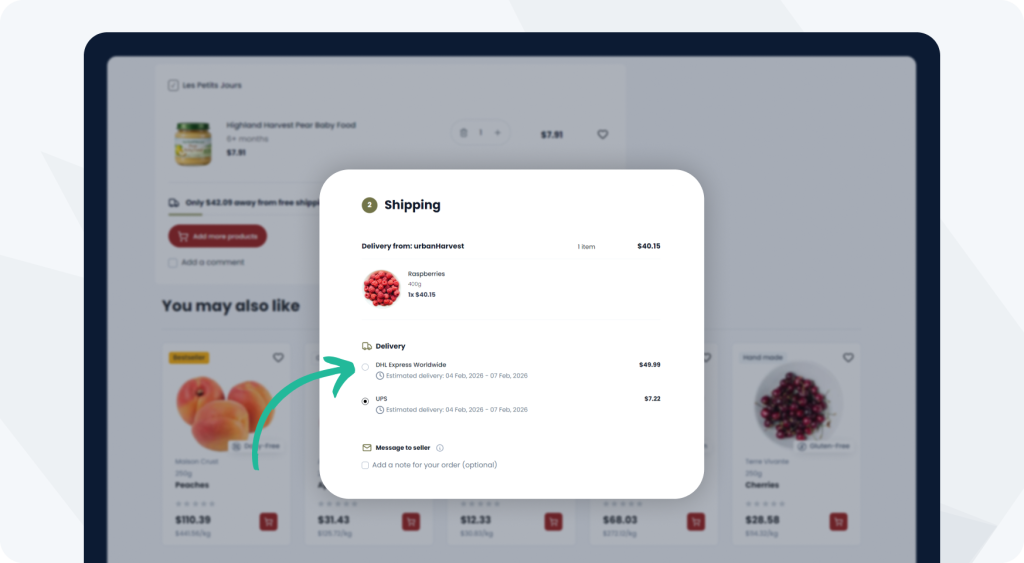
Below the order price, users see information about the cheapest possible shipping option – the minimum delivery cost that will apply if the free shipping threshold is not met.
As a result, users already know what delivery costs to expect at the cart stage and are not surprised by additional fees later in checkout.
Just below the shipping cost information, an estimated delivery time is displayed. This functionality was introduced in version 2.2 and allows defining minimum and maximum delivery times for each shipping method.
In the cart, the system filters available shipping methods and selects the one with the shortest maximum delivery time – the fastest option for the user.
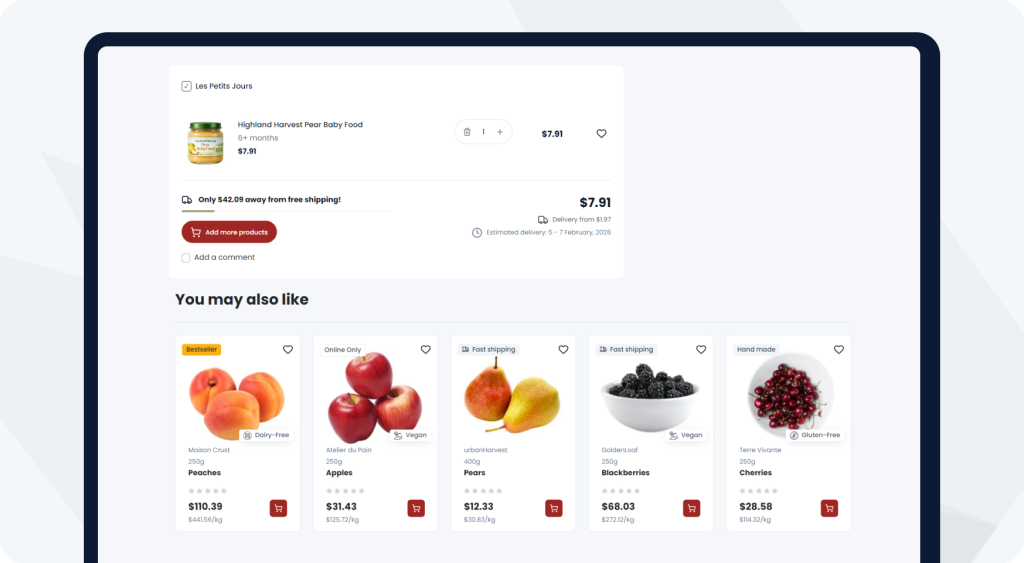
A “You may also like” section is also available in the cart, allowing users to add additional products without leaving the cart view.
The entire cart is built using live components, so all changes are reflected in real time. Updating product quantities instantly recalculates prices, and order totals are updated without page reloads.
The same mechanism drives the free shipping logic. Crossing or falling below the $50 threshold automatically enables or disables free shipping for a given vendor.
In practice, the cart acts as an active sales tool, responding dynamically to user actions throughout the purchasing process.
In a marketplace, a single person can hold multiple roles within the same platform. For this reason, the user account area was designed to allow a smooth transition from buyer to seller, without changing context or creating separate accounts.
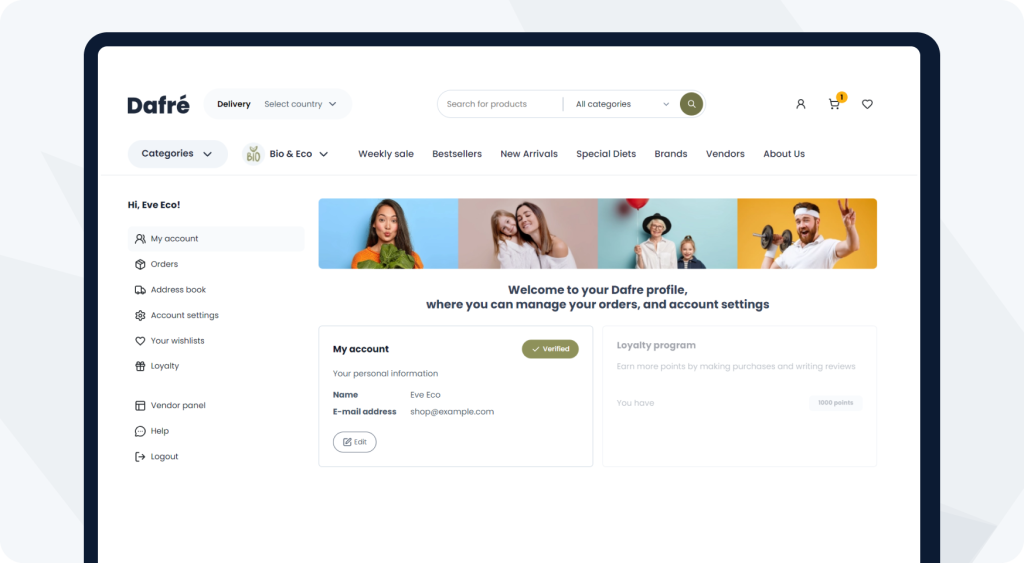
The My Account section was rebuilt to include only information relevant from a buyer’s perspective. It contains standard shopping functionalities such as order history, account data management, wishlists, and purchasing flows.
An important detail is that a seller remains a complete customer of the platform. They can browse the offer, add products to wishlists, and make purchases like any other user.
The context changes when the user registers as a vendor. In the My Account section, an additional Vendor Panel button appears, leading to the sales management area.
After entering the vendor panel, users are presented with an interface that visually and functionally resembles the admin panel but is limited to the scope of a single vendor. From the start, a dashboard is available with summaries and statistics, covering short-term, monthly, and long-term views.
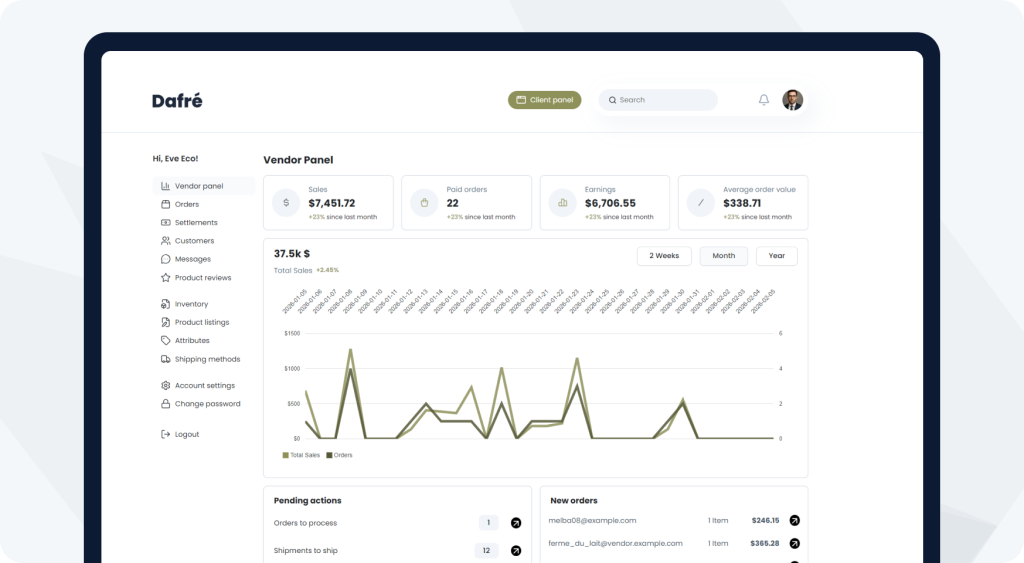
The vendor panel provides a set of sales functionalities delivered by the Marketplace Suite. Sellers only have access to areas related to their own sales and offers.
From the vendor panel, sellers can:
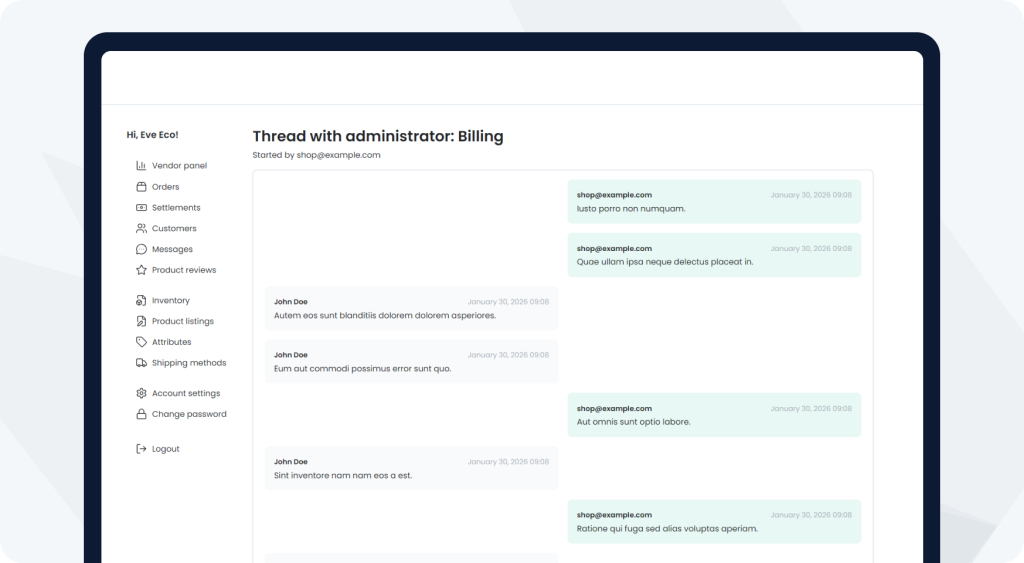
The messaging feature enables direct communication between vendors and the platform administrator within the vendor panel. Sellers can discuss product details, pricing, sales conditions, or marketplace operations. Messages are delivered to the admin panel, where they can be handled and filtered by category.
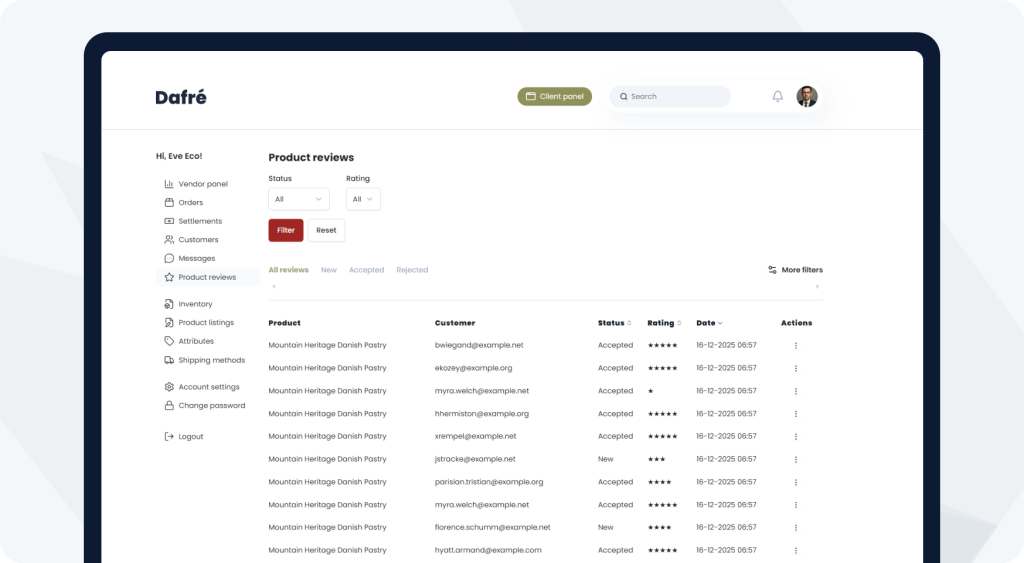
The vendor panel also includes access to reviews prodtucts reviews.
In line with general rules, reviews can only be added by users who actually purchased a product. This ensures that the review system is based on real transactions, and vendors only see feedback related to their own offers.
Reviews are displayed in the vendor panel and support quality management and customer relationships.
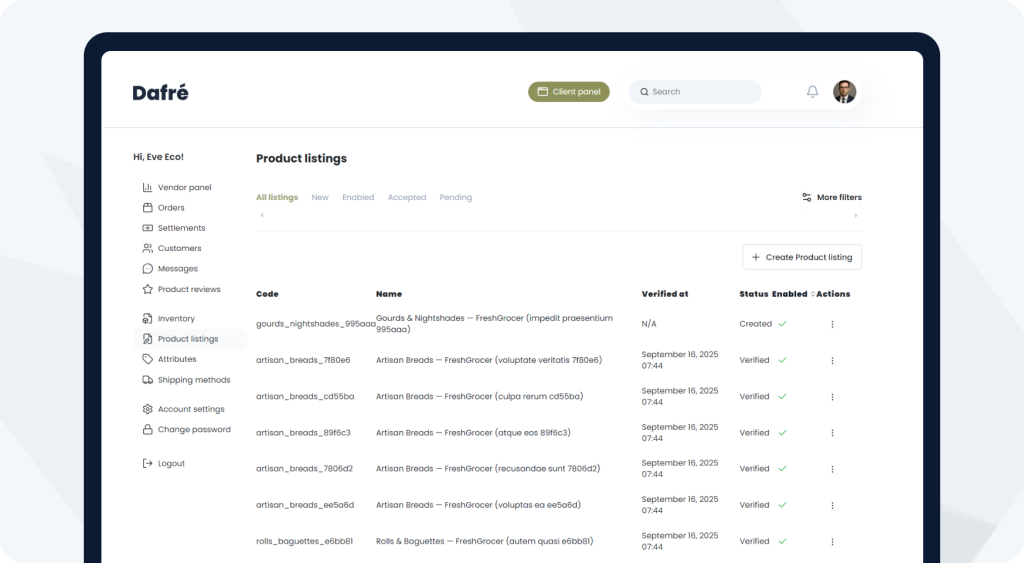
A key part of the vendor panel is inventory management and product listing. This is handled using product drafts and product listings provided by the Marketplace Suite.
The process starts with the vendor creating a product draft. The draft contains all product information and, once prepared, is sent for admin verification.
After approval, a product listing is created and becomes visible in the vendor panel, while a corresponding product is created in the admin panel. This process ensures quality control over the marketplace offer.
Notably, product drafts are versioned in the database, allowing a complete history of changes made to a product.
From the vendor panel, sellers can also:
The admin panel has been extended with functionalities that allow managing the entire marketplace ecosystem from a single place.
One of the key sections is Marketplace, where administrators manage product listings submitted by vendors for review. Each new product arrives as a draft that can be accepted or rejected based on platform requirements. This ensures quality consistency and full control over the published offer.
Another important section is Vendors. Administrators can view all sellers operating on the platform and verify and approve them after registration. This allows controlling who sells on the marketplace and under what conditions.
From a financial perspective, settlement management is critical. The admin panel includes a Settlements section, where margins and settlement rules are configured. Administrators define settlement types, frequencies, and platform commission rates.
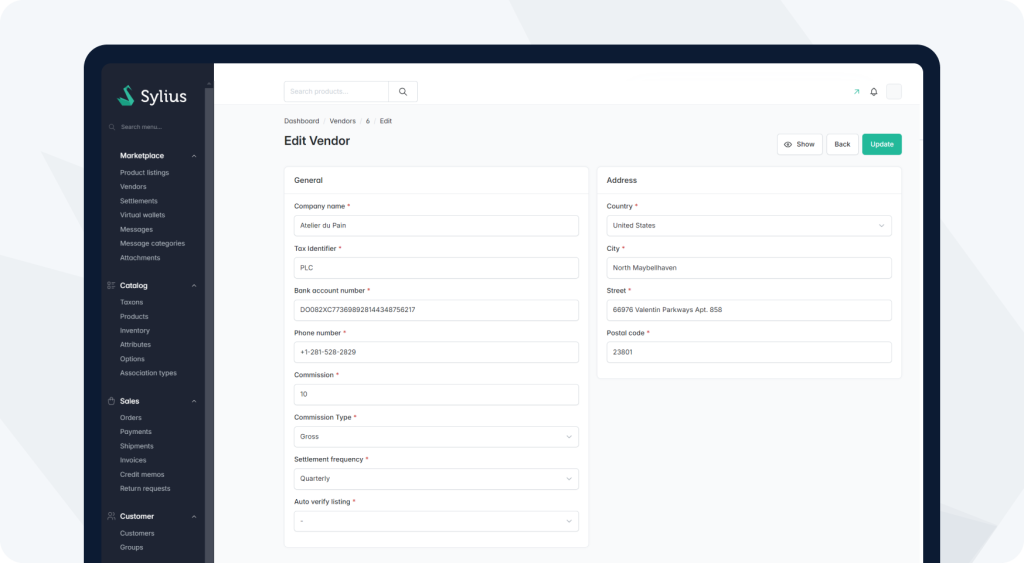
An alternative settlement model is Virtual Wallets. Administrators decide whether a vendor settles cyclically (weekly, quarterly, yearly) or uses a wallet-based model. With Virtual Wallets, funds from orders accumulate in the vendor’s account, and sellers can check their balance and initiate payouts at any time.
The admin panel also includes advanced communication modules. Messages and Message Categories allow creating different conversation types and filtering them by category, structuring communication between vendors and administrators. The Attachments section supports handling message attachments.
Additional admin functionalities include:
Thanks to all of this, the admin panel covers virtually every aspect of marketplace operations.
The About Us section is a straightforward example of the flexibility provided by CMS integration in Sylius. The entire page is built using content managed directly from the admin panel, without hard-coded elements in the application.
Administrators have full control over this section and can edit texts, headings, and images to adapt the message to current business or branding needs. Changes can be made without involving the development team.
This demonstrates how the platform combines a stable technical foundation with flexible content management, even in simple informational sections of the site.




 Sylius Plus